
Anime Cardverse Challenges Guide
Regular, Daily, and Weekly Challenges use rotating stages with their own Mission requirements, rewards, and combat modifiers. Read the current card to decide what to clear and which Powers to bring.
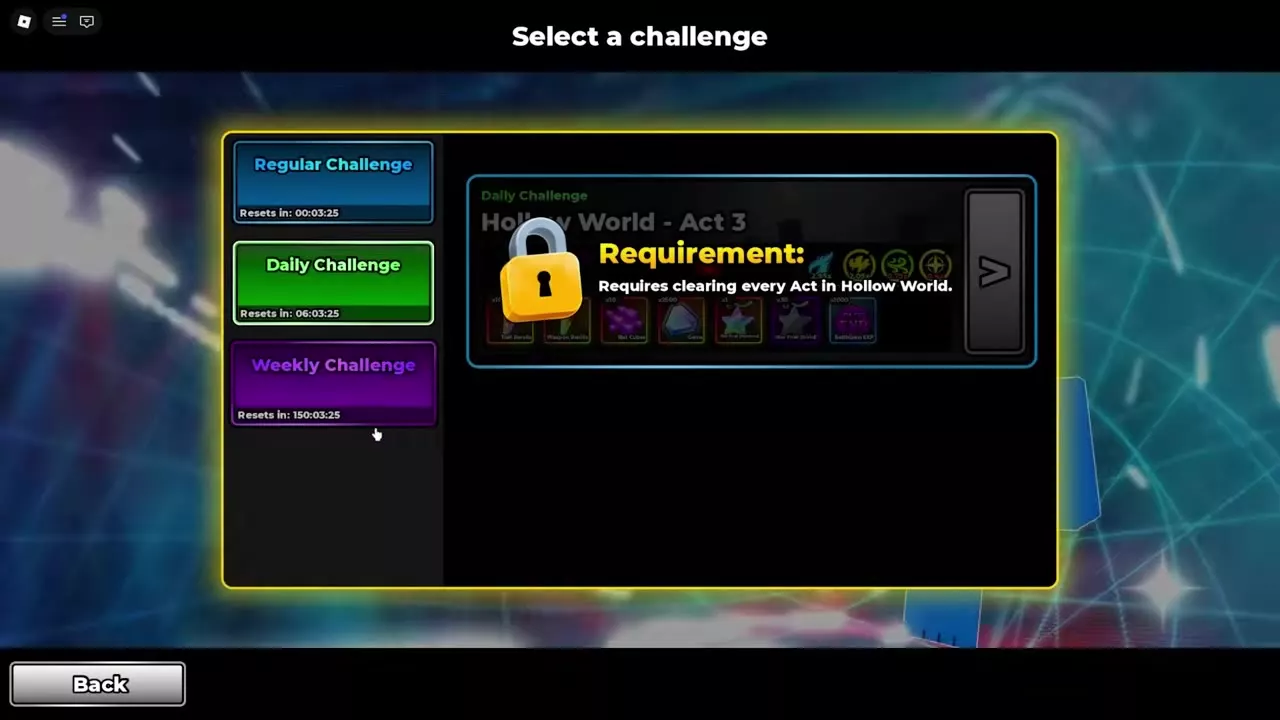
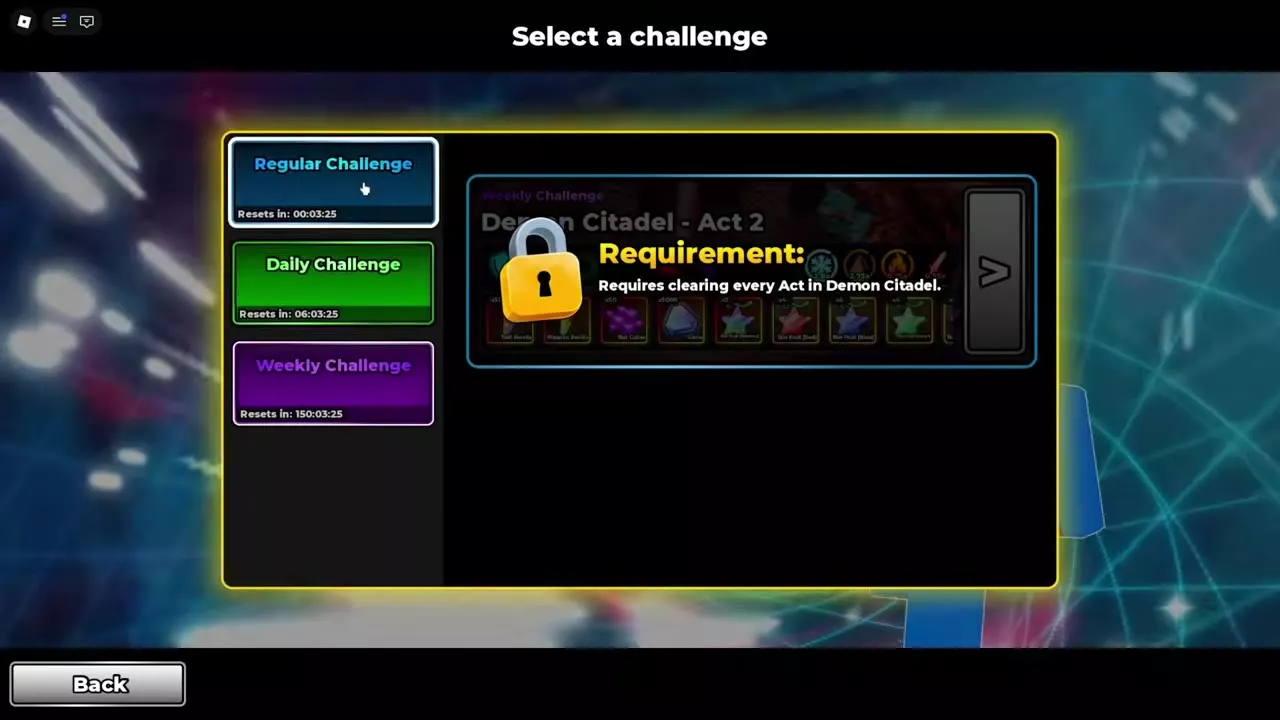
Go to Play → Challenges and read the card’s Requirement. Regular Challenges ask for the matching Mission Act. The Hollow World Daily and Demon Citadel Weekly rotations require every Mission Act in their respective worlds. Once the green arrow is available, select it to open a room. Check the card for rewards and the category’s countdown for its next reset.
Open Challenges and Check the Current Card
- Enter the lobby’s Play area and select Challenges from the mode menu.
- Open Regular Challenge, Daily Challenge, or Weekly Challenge. Compare the featured world and Act, the Requirement on locked cards, and the reward icons and quantities along the bottom.
- Read the Stage Modifier and Affinity icons before settling on your Powers. Hover over an Affinity icon to see which element it affects. Favor boosted elements and bring another damage option if the card penalizes your main element.
- Select the green arrow on an eligible card to open its preparation room. Use Invite to bring in friends, Matchmake to find a group, or Leave to back out and choose another card.
Regular Challenge
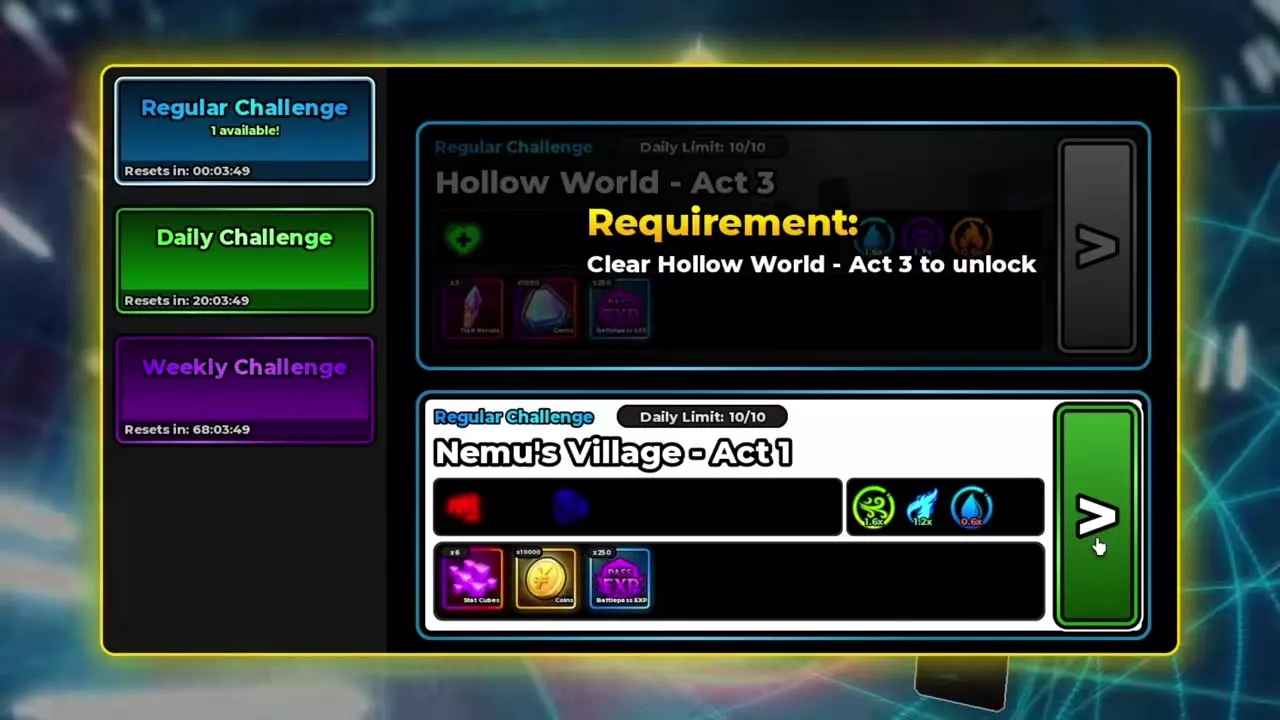
Clear the matching Act in Missions. A locked Hollow World Act 3 Regular card opens after you clear Hollow World Act 3. The same matching-Act rule applies to cards such as Nemu’s Village Act 3, Hollow World Act 2, and Demon Citadel Acts 2 and 3. Check the card’s Daily Limit before farming. The listed limit on these Regular cards is 10.
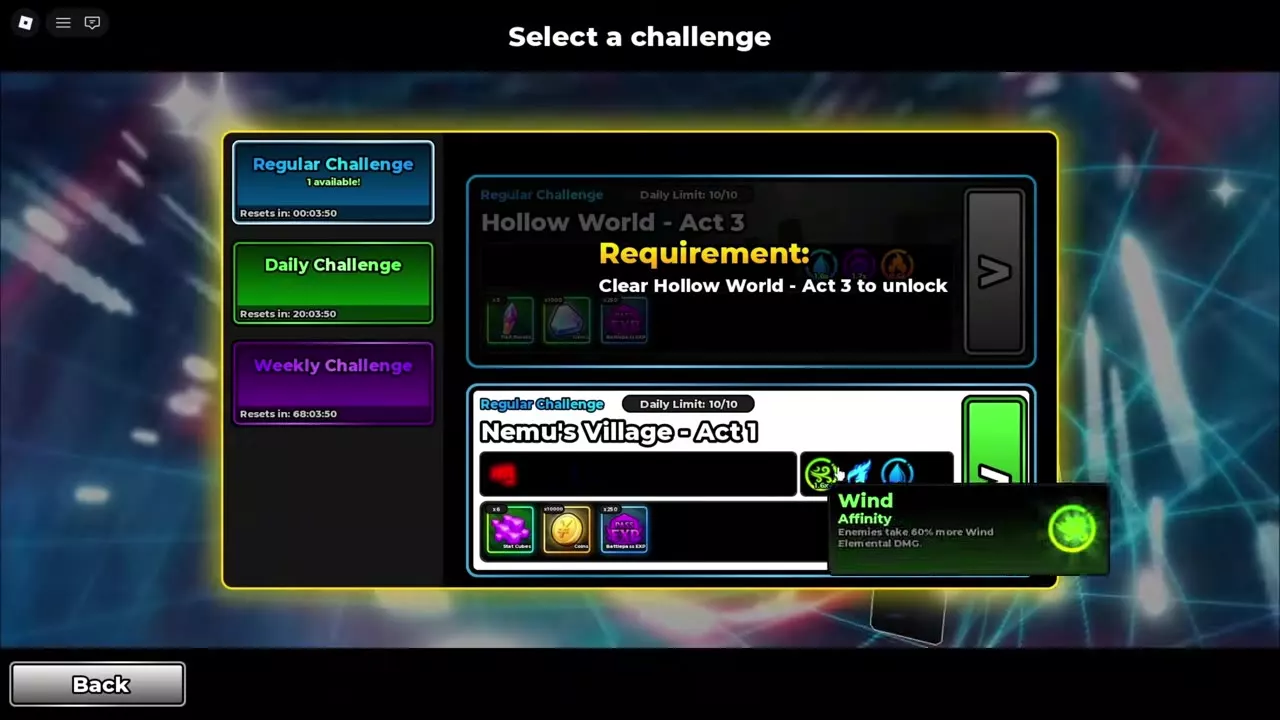
Nemu’s Village Act 1 with Wind Affinity
This rotation lists 6 Stat Cubes, 10,000 Coins, and 250 Battlepass EXP. With Wind Affinity active, enemies take 60% more Wind damage (1.6×). Bring a Wind Power to take advantage of the bonus and keep an area attack ready for the groups that chase you.
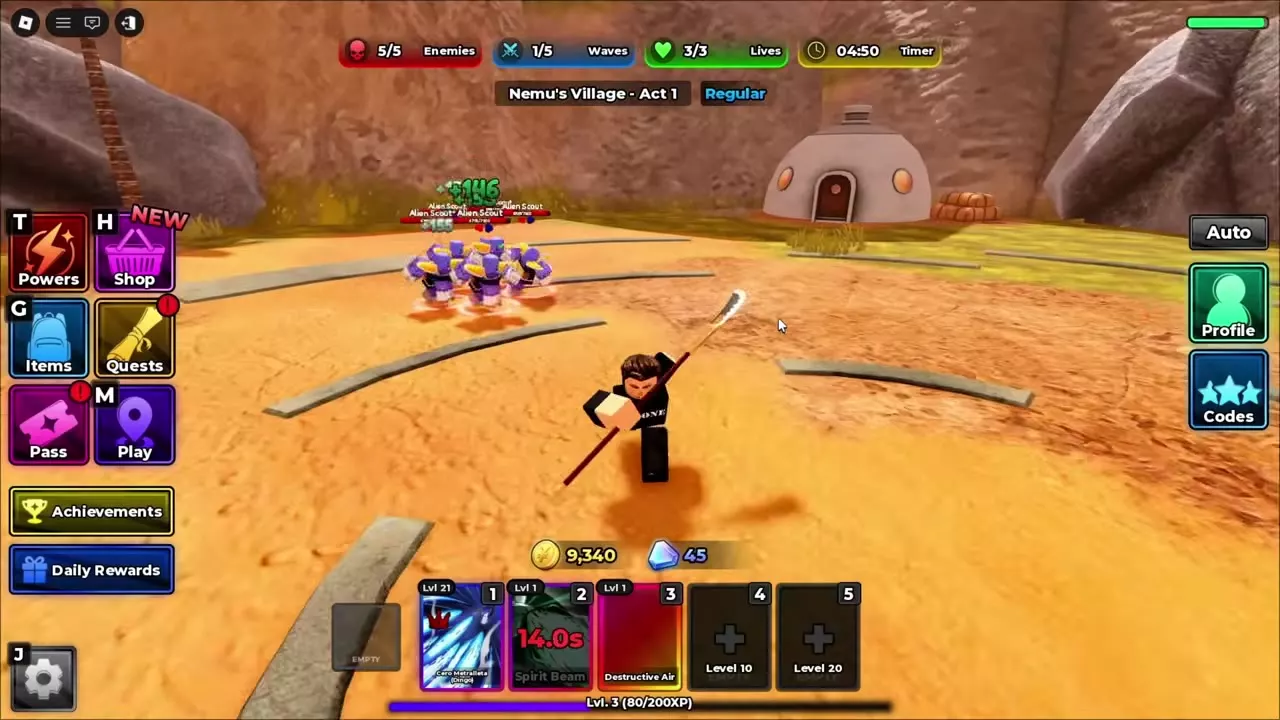
The run starts with five waves, three lives, and a 5:00 timer. Keep moving as the five Alien Scouts in Wave 1 close in. Let them bunch up, then hit the group with Spirit Beam or Destructive Air and move again while your Powers cool down. If you have evolved Cero Metralleta (Dingo), its wide attack can hit the pack and summon Spirit Wolves.
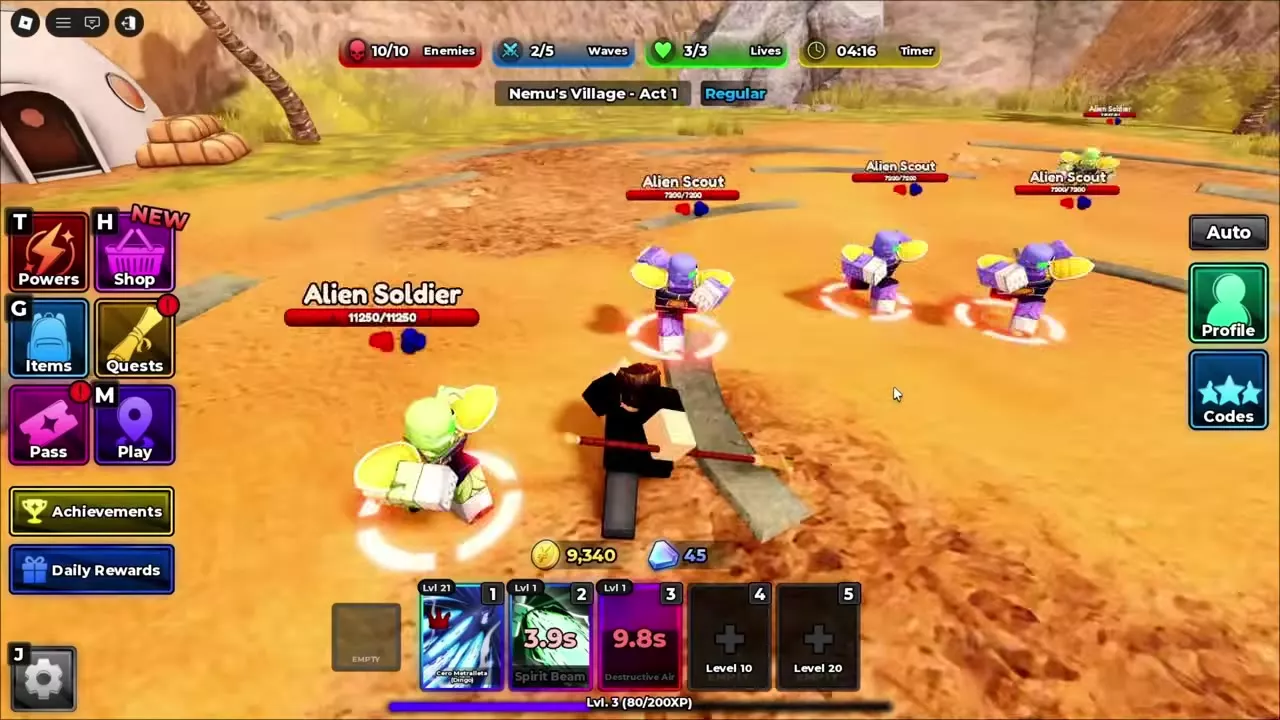
Clear all five Scouts to advance. Wave 2 brings 10 enemies, including Alien Scouts and Alien Soldiers. In this rotation, a Wave 2 Scout can have 7,200 HP and a Soldier 11,250 HP. Keep an area cast ready for the larger pack and save follow-up damage for the tougher Soldiers.
Daily Challenge
When the Daily card features Hollow World Act 2 or Act 3, clear every Hollow World Mission Act to unlock it. The featured Act tells you where the challenge takes place, while the lock text tells you which clears count toward entry.
Check Daily Reset on the Challenges tile or Resets in under Daily Challenge to see how long the current card is up. For example, the Hollow World Act 2 Daily reward row lists 10 Stat Cubes, 2,500 Gems, and 1,000 Battlepass EXP among its rewards. Release Patch 1 substantially lowered Daily enemy HP and extended the time limit.
Weekly Challenge
When the Weekly card features Demon Citadel Act 1 or Act 2, clear every Demon Citadel Mission Act to open it. Check Weekly Reset on the Challenges tile or Resets in under Weekly Challenge before spending time on the remaining Mission clears.
Look for Weapon Rerolls and Stat Cubes in the current reward row. The Demon Citadel Act 2 Weekly card, for example, lists Weapon Rerolls, 50 Stat Cubes, and 5,000 Gems among its rewards. Release Patch 1 lowered Weekly enemy HP.
Limits, Affinities, and Mission Progress
- Limits and resets. The Regular card’s Daily Limit is a count. The Resets in countdown on each category tab tells you when that category rotates. Read the reward row again after a reset, especially if you’re looking for a specific resource such as Trait Rerolls or Gems.
- Loadout changes. If the card has Juggernaut, bring repeatable damage for the larger health pools. For Undying, save a follow-up cast for enemies that revive. Against Adaptive, switch to a second element when the first stops dealing damage or use a multi-element attack. See Stage Modifiers and Elemental Affinities.
- Locked Missions. If you can’t enter the Mission you need, unlock that world’s Missions through its questline. Then clear the named Act or finish the full set required by the card. See the Mission unlocks and matchmaking guide.