
Anime Cardverse Travelling Merchant Locations, Stock, and Prices
Bob E.O.'s Travelling Merchant sells limited quantities of mounts and upgrade materials for Coins. Find his checkerboard cart, then check the current selection and restock timer.
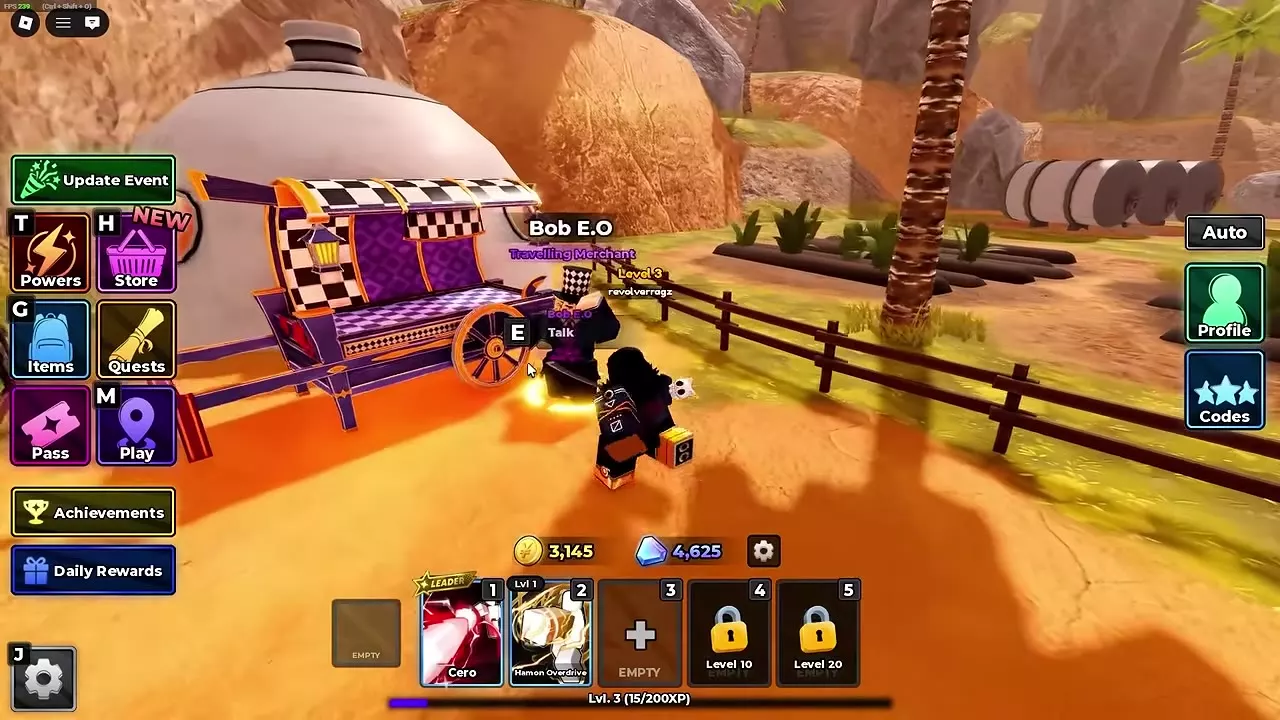
Look for Bob E.O. beside his checkerboard cart in the city lobby or an unlocked world. Press E to talk, choose Browse, and check each item's Coin price and Left count. If an item is sold out, use the Shop Restock countdown and check again after the refresh.
Find Bob E.O.'s Checkerboard Cart
Bob E.O. stands beside a checkerboard cart with Travelling Merchant above his name. Look for him at these landmarks:
- City lobby: Along the street.
- Nemu's Village: In the village area.
- Hollow World: During Kisky's questline.
- Demon Citadel: Near the Goblin area of Sang Woo's opening quest.
Unlock the relevant world before looking for him there. Approach until E Talk appears, press E, and select Browse to open Merchant. Choose Leave to close the dialogue.
Stock and Coin Prices
The selection changes, and each item card shows its current quantity under Left. Prices are per item.
| Item | Coins each | Use |
|---|---|---|
| Souls | 50 | Power and Weapon EXP |
| Pure Cloud | 50,000 | Mount |
| Trait Rerolls | 5,000 | Power traits |
| Weapon Rerolls | 5,000 | Weapon traits |
| Stat Cubes | 5,000 | Reroll stats |
| Stat Prisms | 100,000 | Raise a stat grade |
| Blue Star Fruit | 7,500 | Evolution material |
| Green Star Fruit | 7,500 | Evolution material |
| Pink Star Fruit | 7,500 | Evolution material |
| Yellow Star Fruit | 7,500 | Evolution material |
| Red Star Fruit | Check item card | Evolution material |
| Dead Star Fruit | 2,500 | Evolution material |
| Rainbow Star Fruit | 37,500 | Rare evolution material |
Red Star Fruit has appeared with 3 left. Pure Cloud has appeared with 1 left, while Souls stock has reached 2,500 and 3,500. Read the current card for the quantity available on your visit.
Each Soul provides 100 item EXP when fed to a Power or Weapon. A Stat Prism raises an individual stat to its next grade, while a Stat Cube rerolls Power or Weapon stats.
Buy a Quantity and Read Shop Restock
- Scroll through Merchant to see the lower rows. Check the item's unit price and Left count.
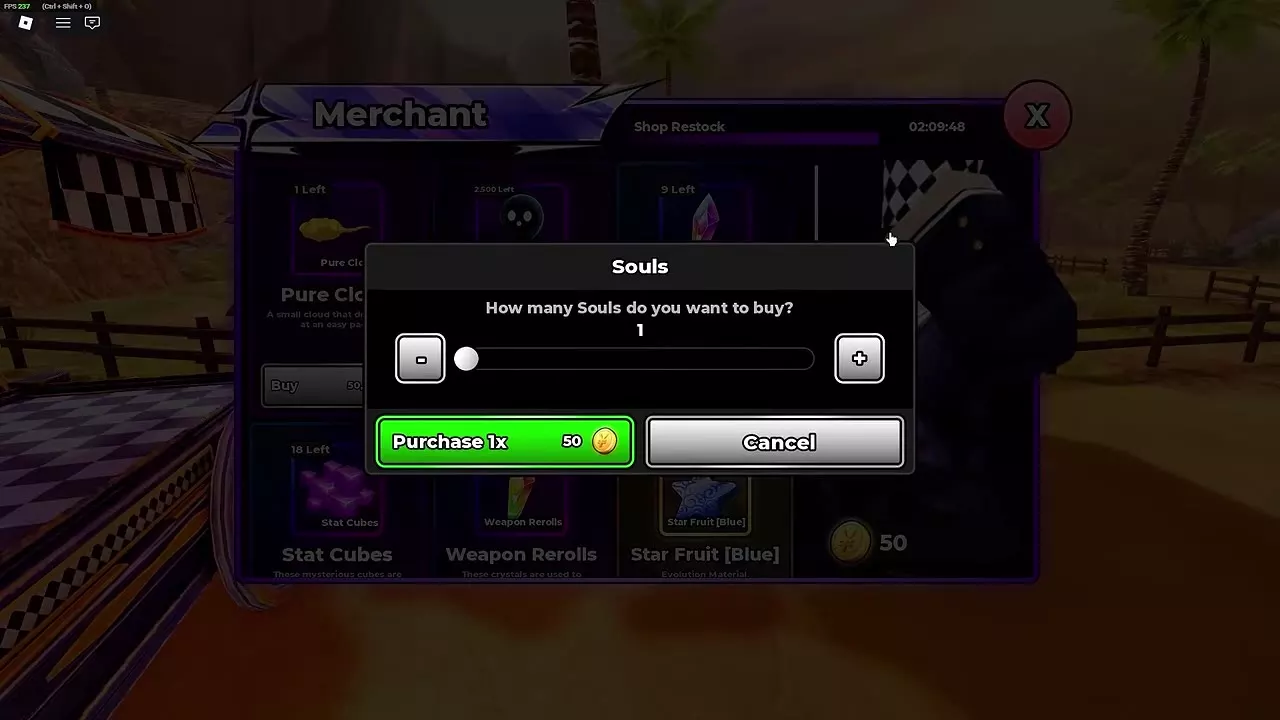
- Select Buy on Souls, then use the minus button, slider, or plus button to set the quantity.
- Review the total and select Purchase. Use Cancel to leave the quantity window without buying.
- Review the items received and dismiss the reward popup.
Souls cost 50 Coins each, so 197 Souls cost 9,850 Coins. The purchase deducts the displayed total and reduces the shelf stock by the quantity bought. Your budget covers your Coin balance divided by 50, rounded down, up to the quantity left on the shelf.
A card showing 0 Left is sold out. Shop Restock counts down to the shop's next refresh; check the shelf again afterward.
Materials, Mounts, and Coin Farming
- Find Coin sources and spending options to budget for merchant purchases.
- Explore materials and upgrade resources for other ways to obtain Souls and Star Fruit.
- See mounts and riding for Pure Cloud and other mounts.
- Learn how to feed Souls to Powers and Weapons.
- See stat potentials and transfer for using Stat Cubes and Stat Prisms.