Anime Cardverse Summons Guide
Anime Cardverse has separate standard banners for Powers and Weapons. Before spending Gems, check your target’s share in the Index, your pity progress on that banner, and how many new pulls your inventory can hold.
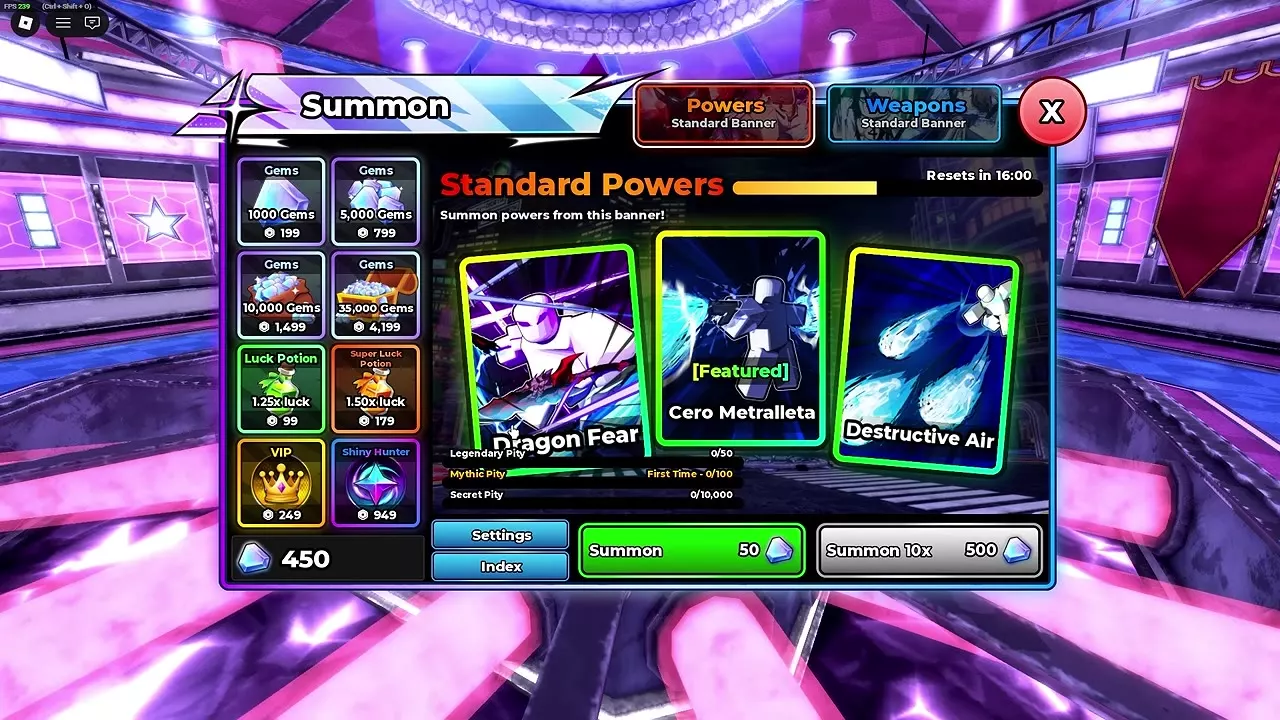
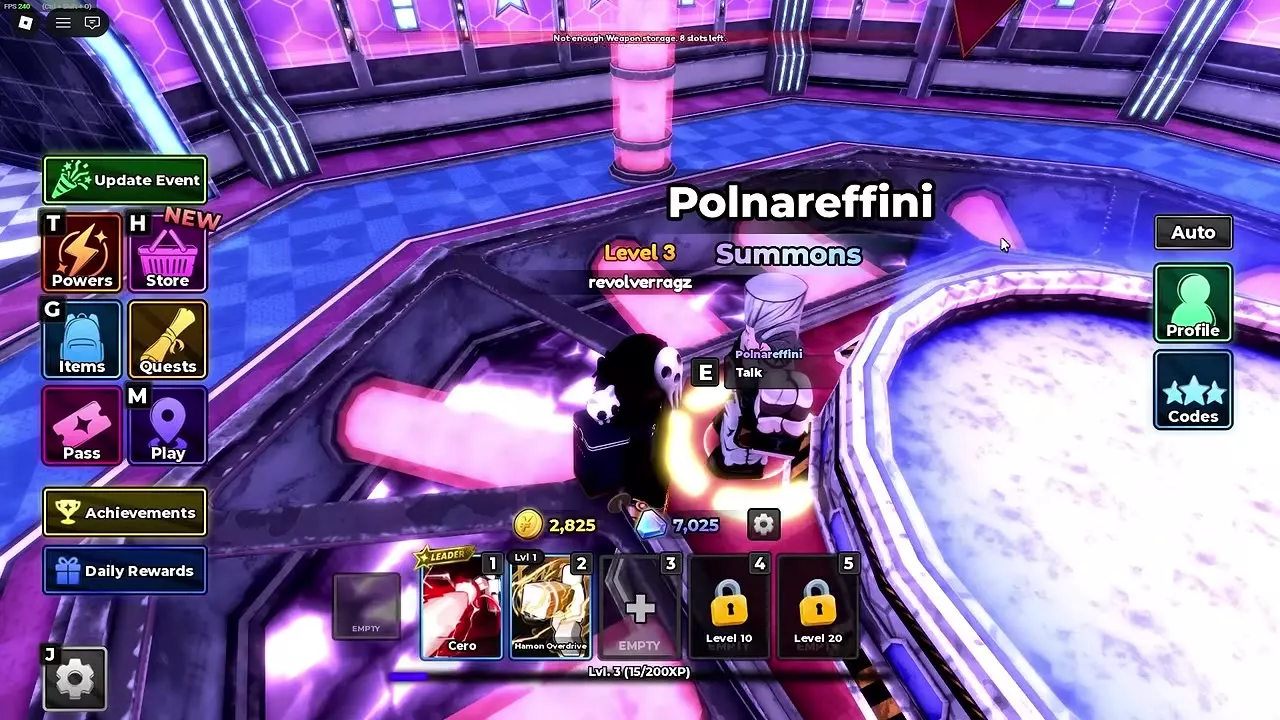
Talk to Polnareffini in the lobby’s Summons building. Either standard banner costs 50 Gems per pull, or 40 with VIP. Claim Nemu Quest #6 to unlock Hollow World and Standard Weapons. For an ordinary pull, multiply the Index rarity rate by your target’s share within that rarity. Then use the selected banner’s pity counters, your Gem balance, and the matching inventory’s free slots to choose a batch size.
Banner Access and Gem Costs
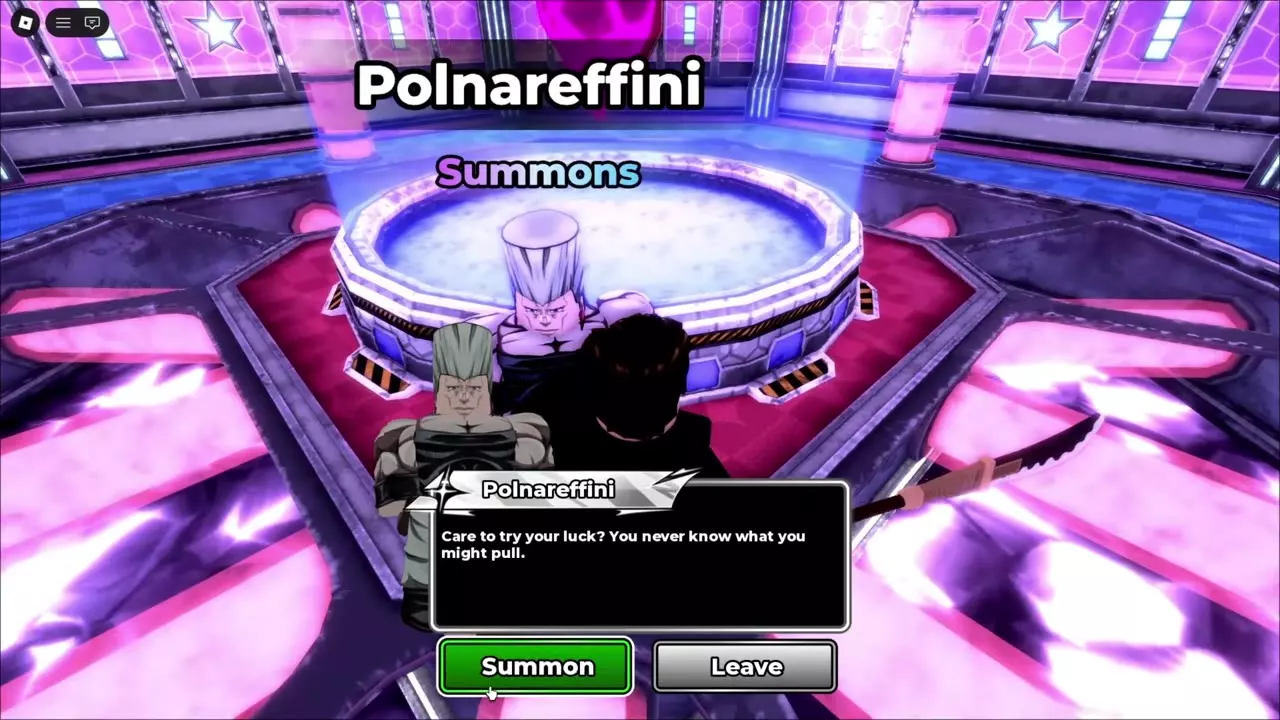
Go to the lobby’s Summons building on foot or through the lobby Teleport Pad. Talk to Polnareffini with E on PC, choose Summon, then select Powers or Weapons at the top of the menu.
Both banners draw from the same Gem balance. Spend on Powers if you’re filling or upgrading several Power slots. Save Gems for Weapons if a weapon is your next upgrade.
| Pull size | Standard | With VIP |
|---|---|---|
| 1 pull | 50 Gems | 40 Gems |
| 10 pulls | 500 Gems | 400 Gems |
| 50 pulls, when offered | 2,500 Gems | 2,000 Gems |
VIP cuts the Gem cost by 20%. Singles and batches have the same price per pull.
Unlock Standard Weapons
- Finish Nemu Quest #6 by defeating five Freezers. Open Quests and select Claim for the completed quest, or use Claim All. Follow Nemu’s questline if you still need to reach the final objective.
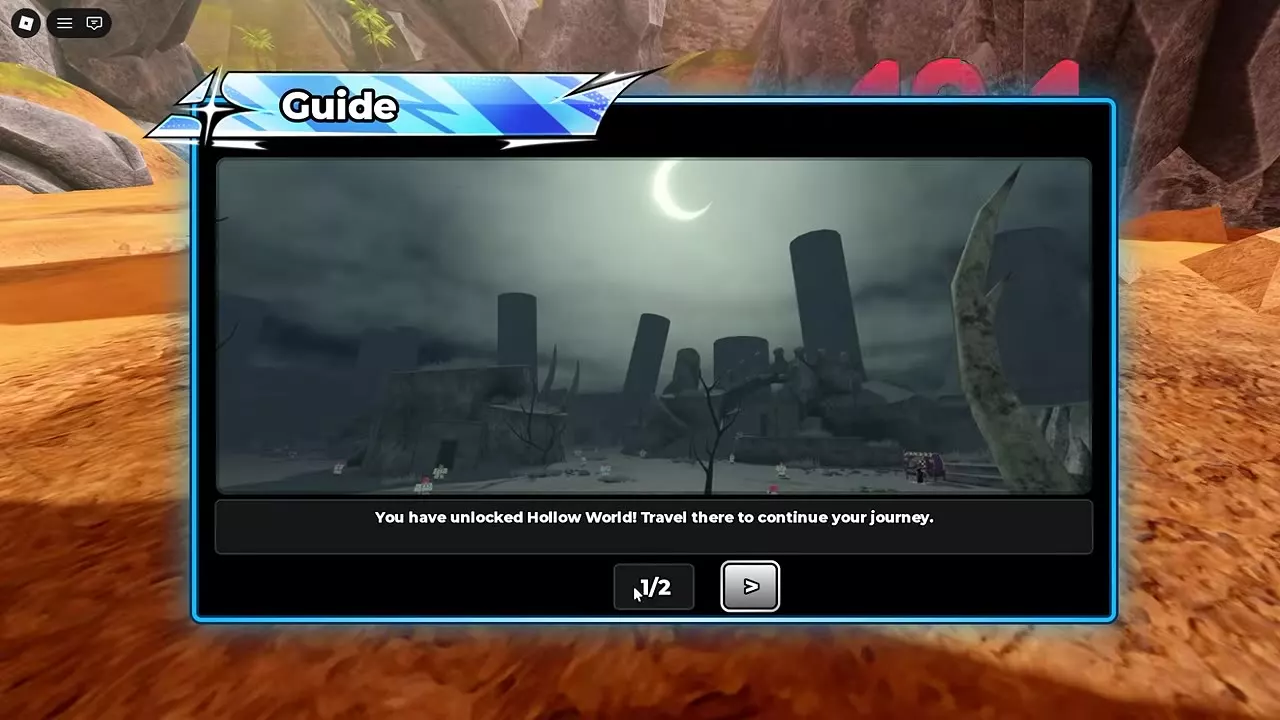
- Confirm that the Guide says you unlocked Hollow World, then return to Polnareffini and select the Weapons Standard Banner.
- Try an affordable pull that fits your Weapons storage. A pull can still succeed if Requirement: Unlock World 2 stays on screen after the unlock. Rewards Obtained confirms that the pull went through. A Weapons storage warning means the batch needs more room in that inventory.
Rotation, Index Rates, and Featured Shares
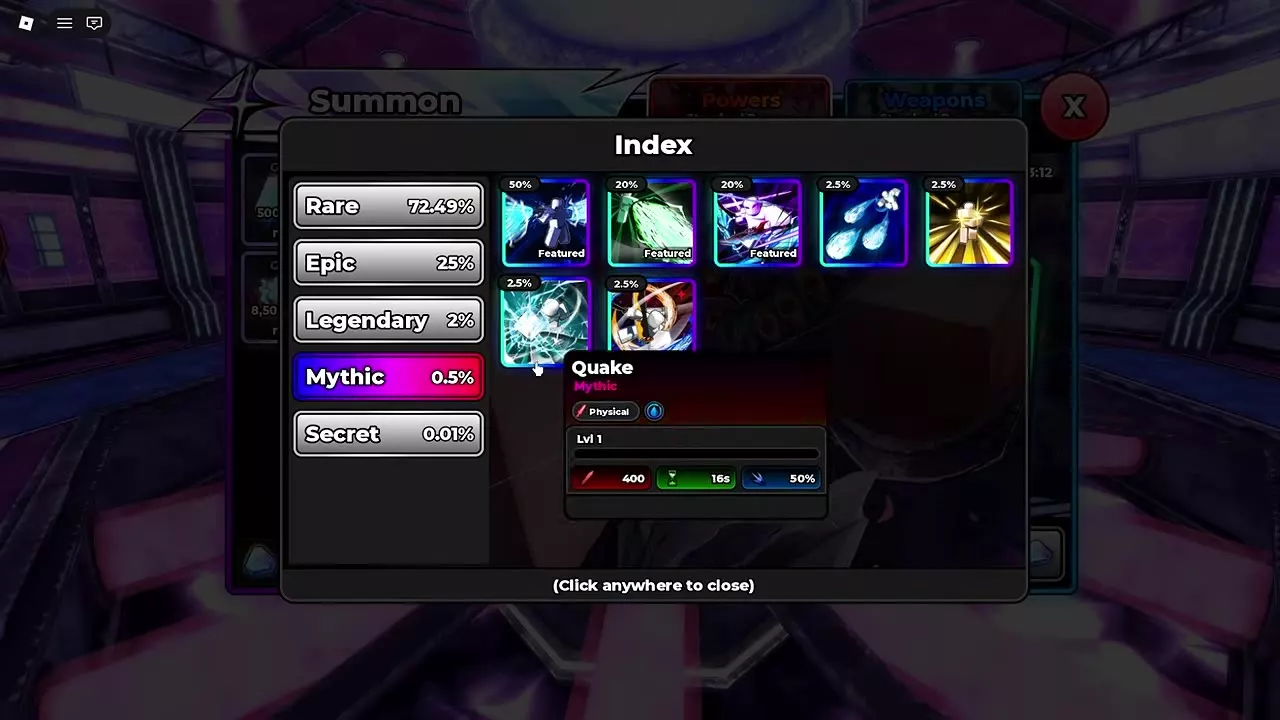
Watch the Resets in timer above the banner cards. When it ends, recheck the lineup and open Index on that banner. Choose your target’s rarity, read the overall rarity rate on the left, and hover over the target card to identify it. The percentage above the card is its share of results within that rarity.
The standard Index rates are 72.49% Rare, 25% Epic, 2% Legendary, 0.5% Mythic, and 0.01% Secret for eligible ordinary pulls. Multiply the rarity rate by the card’s share as a fraction. A card with a 50% share of the Mythic tier has a 0.5% × 0.50 = 0.25% base chance per pull.
Standard Powers
Rare, Epic, and Legendary each contain five Powers with a 20% share apiece. That gives a specific Rare such as Rasengan a 14.498% base chance, a specific Epic such as Kamehameha 5%, and a specific Legendary such as Black Flash 0.4%.
| Mythic slot | Share of Mythic | Base chance per pull |
|---|---|---|
| Top Featured slot | 50% | 0.25% |
| Two other Featured slots | 20% each | 0.10% each |
| Four non-Featured slots | 2.5% each | 0.0125% each |
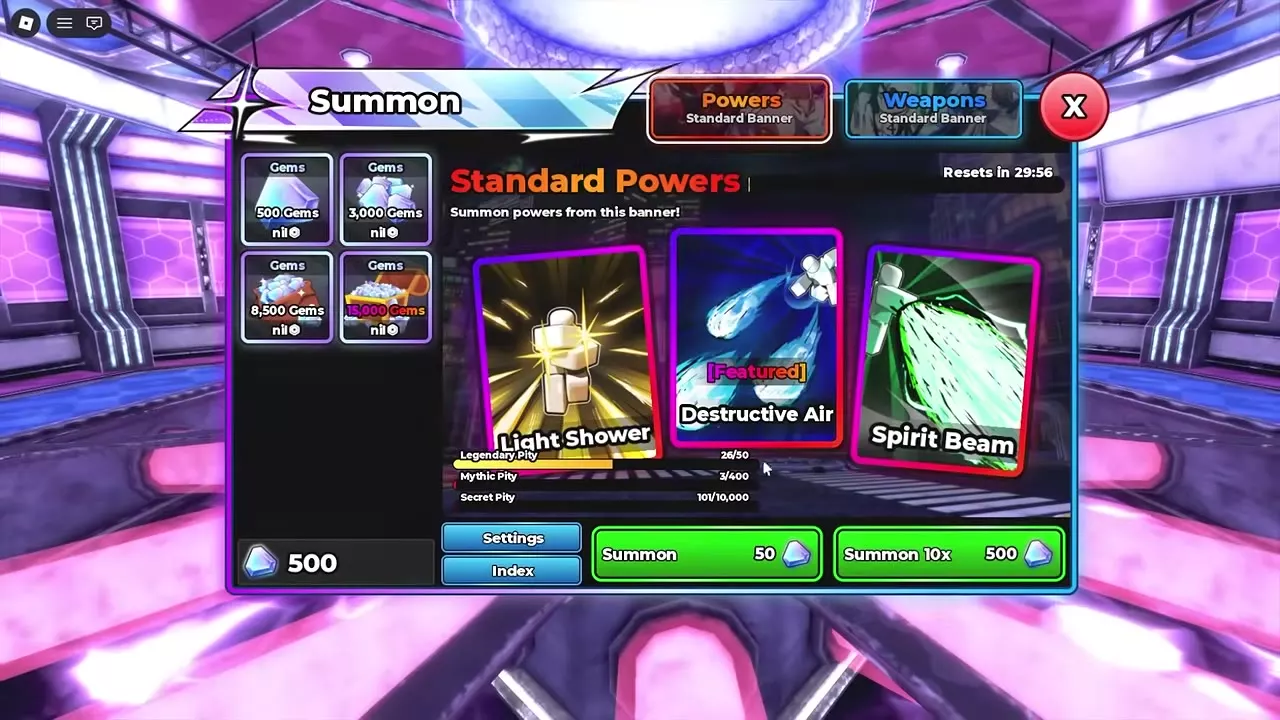
The same Power has 20 times its ordinary pull chance in the top slot compared with a 2.5% slot. If you’re saving for one particular Mythic, wait for its 50% slot. The display has rotated from Spirit Beam, Cero Metralleta, and Dragon Fear to Light Shower, Destructive Air, and Spirit Beam, with Destructive Air taking the top slot. These lineups illustrate how the shares change.
| 50% share | 20% share each |
|---|---|
| Destructive Air | Light Shower, Dragon Fear |
| Spirit Beam | Light Shower, Quake |
| Spirit Beam | Light Shower, Destructive Air |
| Dragon Fear | Resounding Slashes, Quake |
| Quake | Cero Metralleta, Destructive Air |
Catastrophe Moon is the sole Secret in its Standard Powers lineup and requires player Level 5. Its 100% share of the Secret tier gives an eligible ordinary pull a 0.01% base chance. Power list and passives
Standard Weapons
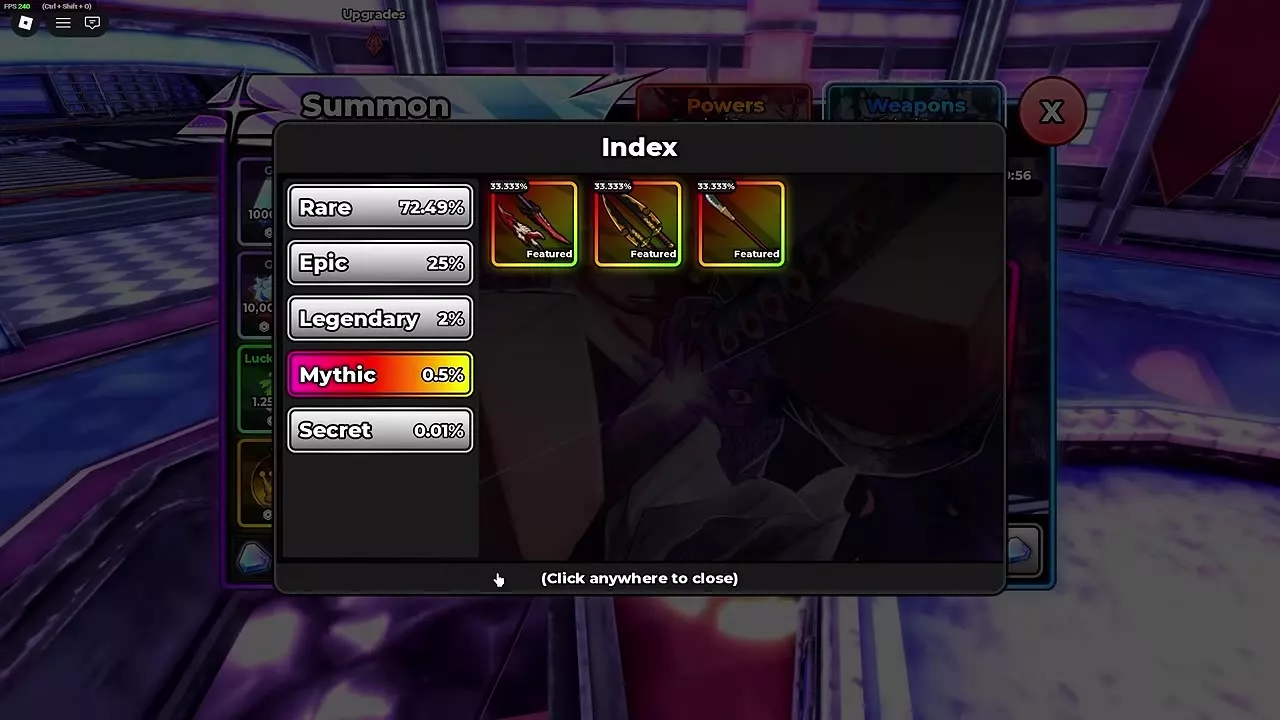
In the three-weapon Mythic lineup, Sound Cleavers, Kamish Daggers, and Cloud Cutter each have a 33.333% share of the 0.5% Mythic tier, or about 0.167% per ordinary pull for each weapon. The weapon pictured in the center can change, so use the current Weapons Index shares when deciding whether to spend.
2 objects
| Name | Single-pull cost | Ten-pull cost | VIP single-pull cost | ||||||
|---|---|---|---|---|---|---|---|---|---|
|
50 Gems
|
500 Gems
|
40 Gems
| |||||||
| |||||||||
|
50 Gems
|
500 Gems
|
40 Gems
| |||||||
| |||||||||
Legendary, Mythic, and Secret Pity
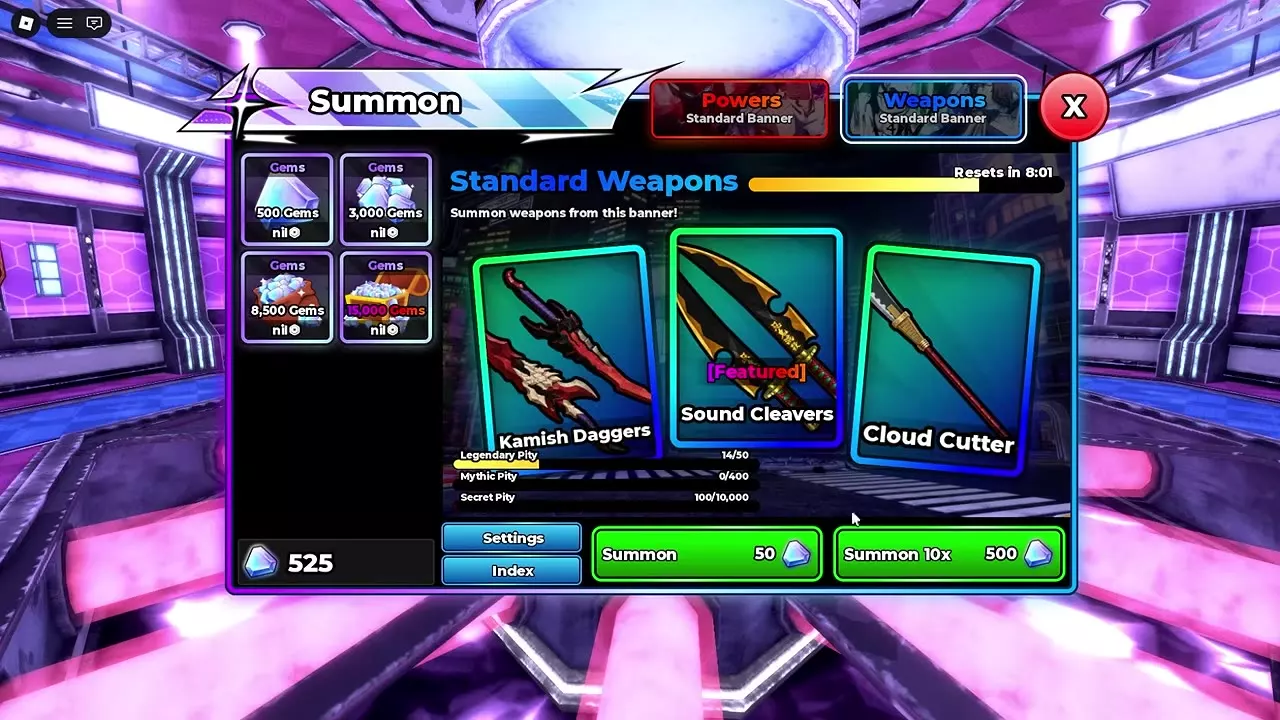
Standard Powers and Standard Weapons track pity separately. Read the three counters below the cards on the banner you plan to pull from. First Time marks the lower Mythic target. After your first Mythic on that banner, the target switches to 400.
| Pity counter | Target on either banner | Standard from zero | VIP from zero |
|---|---|---|---|
| Legendary | 50 pulls | 2,500 Gems | 2,000 Gems |
| First Mythic | 100 pulls | 5,000 Gems | 4,000 Gems |
| Later Mythic | 400 pulls | 20,000 Gems | 16,000 Gems |
| Secret, displayed target | 10,000 pulls | 500,000 Gems | 400,000 Gems |
Subtract your current progress from the displayed target, then multiply the remaining pulls by 50 Gems, or 40 with VIP. At First Time 90/100, the remaining ten pulls cost 500 Gems, or 400 with VIP, if the counter runs to the target.
- Legendary reset. A single Powers pull at 49/50 can finish the meter. In one such pull, Enma Slashes dropped and Legendary went to 0/50, while Mythic and Secret advanced to 50.
- First Mythic and Featured weapons. A Weapons ten-pull from First Time 90/100 yielded Kamish Daggers while Sound Cleavers was highlighted. Mythic switched to 0/400 and Secret advanced to 100/10,000. Use the Index to compare named targets even when you’re close to pity.
- Early drops. A Standard Powers batch yielded Cero Metralleta by 61 total pulls and left Mythic at 1/400. Pulls after a reset within the same batch can already count toward the next target. An eligible Secret can also drop before the displayed target.
Pull Sizes, Fast Summon, and Auto Sell
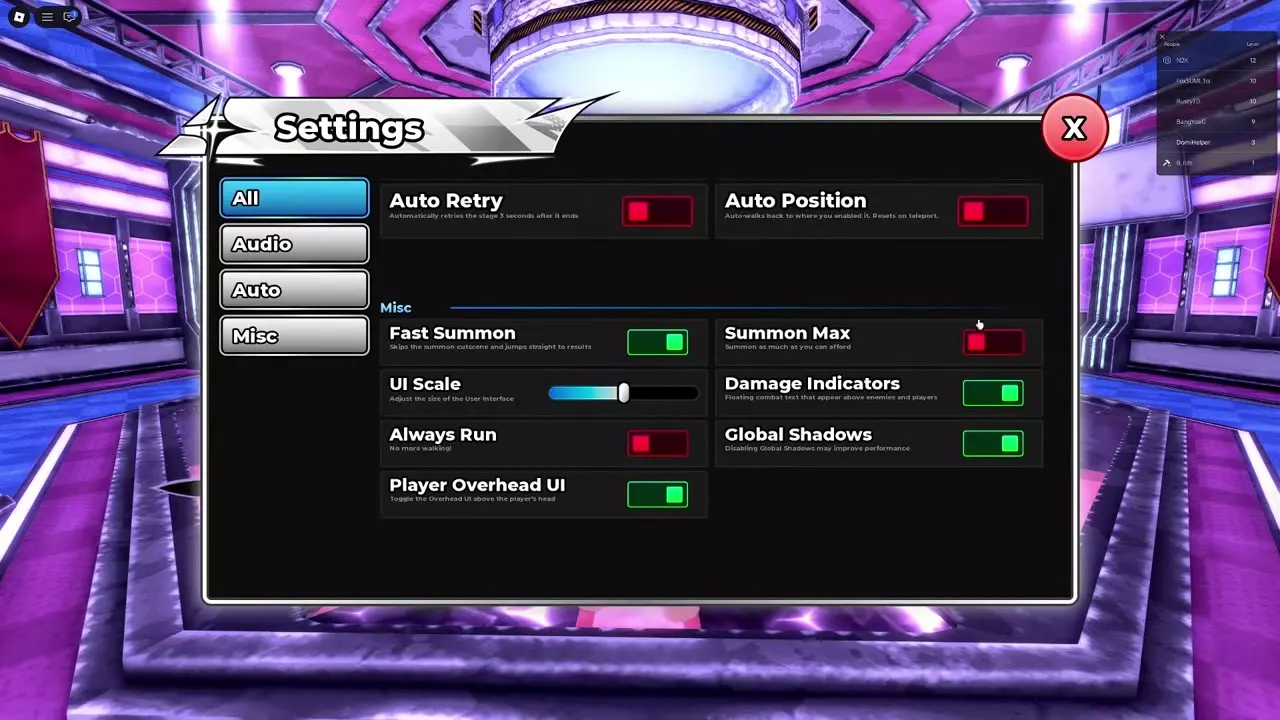
- Open the main game Settings → Misc. Turn on Fast Summon to skip the cutscene and go straight to results. Turn on Summon Max to let the batch button adjust to your Gems and available storage.
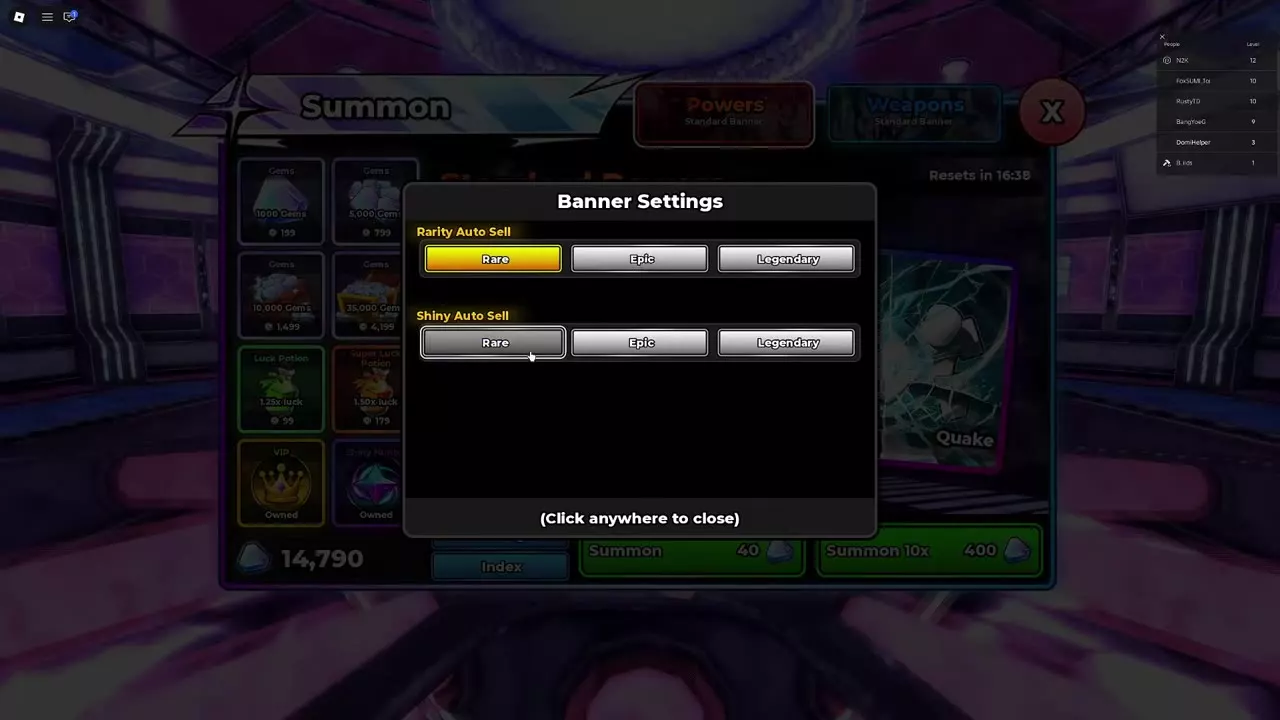
- Return to the selected banner. If you plan to sell new pulls automatically, open the banner’s own Settings first. Rarity Auto Sell and Shiny Auto Sell have separate Rare, Epic, and Legendary toggles. Yellow is on and gray is off.
- Press Summon for one pull, Summon 10x for a fixed ten-pull, or the adjustable batch button with Summon Max on. Read the quantity and total Gem cost on the button before you press it. With room in storage, 300 Gems at standard prices gives Summon 6x. Use singles or fixed ten-pulls when you want to stop and check after smaller batches.
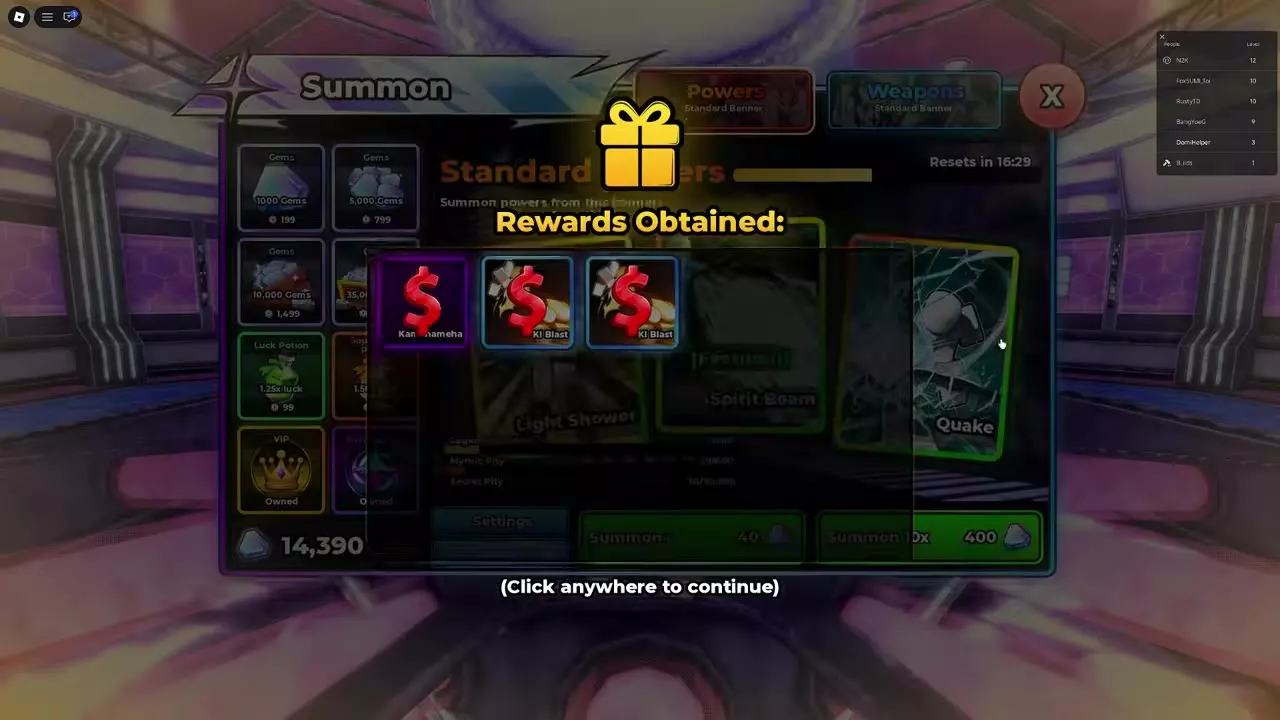
- Review Rewards Obtained. A batch can contain duplicates. Hover over a card to inspect it and scroll through longer results. A red currency symbol marks a result that Auto Sell converted into Coins. Click anywhere to return to the banner and read the updated pity counters.
To clear common pulls while keeping Shiny copies, enable regular Rare and Epic Auto Sell and leave the Shiny toggles off. Keep Legendary off if you want to retain Legendary pulls, and keep the matching toggle off for any lower-rarity copies you still need.
Luck Potions and Storage Warnings
Luck Potion vs. Super Luck Potion
| Summon sidebar offer | Displayed Luck | Price |
|---|---|---|
| Luck Potion | 1.25× | 99 Robux |
| Super Luck Potion | 1.50× | 179 Robux |
Compare the price and multiplier shown in your Summon sidebar. At these prices, Luck Potion has the lower upfront cost. Super Luck Potion adds 0.25× to the displayed multiplier for 80 Robux more.
Make room for the batch
Open Powers for Power slots or Items → Weapons for Weapon slots. Subtract the used slots from the total on that inventory’s Storage counter. A fixed ten-pull needs ten free slots in the matching inventory. At 91/100, you have nine free slots, so even a fully funded ten-pull is blocked.
If the warning gives a number of slots left, use a smaller batch that fits. If the matching inventory is full, lock the copies you want to keep, sell extras there, and retry after you’ve made enough room. If the pull button is gray, also compare its displayed Gem cost with your balance. Inventory storage, locking, and bulk selling